Twice
Use Twice to approve browser-test plans, run user journeys, read reproduction evidence, export reports, and gate pull requests on confirmed defects.
View as MarkdownTwice tests an app through user journeys. It proposes flows and expectations for your approval, runs the approved plan in a cloud browser, retries failures, and attaches screenshots and per-attempt evidence to its findings. A failed journey is not automatically a confirmed defect, and a journey that could not run is never a pass.
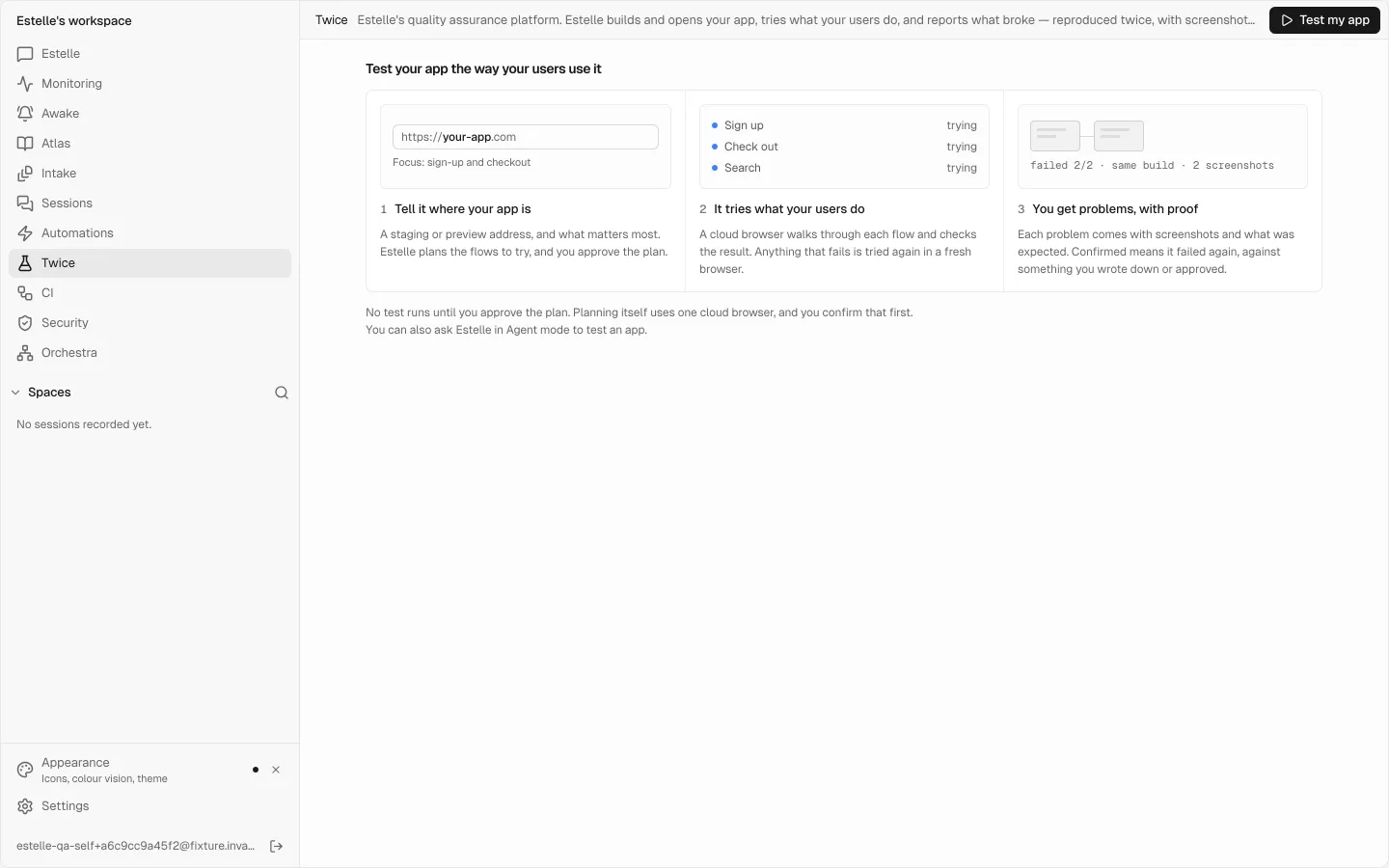
#Choose what Twice should test
Use Twice for sign-up, checkout, search, and other behavior that needs evidence from a running app. It complements unit and integration tests in Estelle CI and code review in Prism.
The Test my app form offers two targets:
- Your code: QA builds and runs it. Twice checks out a repository and ref in a Silo, builds and starts that copy, and tests it there. Its clicks do not reach your deployed app. Choose this when you want to test a commit without creating a preview deployment.
- A deployed address. Twice visits a staging or preview URL that the internet can reach. Choose this when you want to test the build and configuration you actually deployed. The cloud browser cannot open
localhost.
#Plan and run a test
Describe the app and what matters
Open Twice → Test my app. Choose the target, then enter the repository and ref or the deployed address. Add the behavior you care about, such as “a new customer can sign up and complete checkout.”
Choose access and limits
Pick how Twice signs in. Under Advanced, you can name the run, choose its environment, set time and credit limits, and decide whether it only reports problems or also prepares fixes. For a deployed app, supply a source repository only if you want fix work.
Confirm planning
Choose Plan the tests, then Confirm and plan. Planning uses a cloud browser; it does not run the test journeys.
Review and approve the plan
Check every journey, its steps, and its expected results. Expectations marked as Estelle's guesses are hypotheses: a failure on one can only be suspected. Confirm the expectations you mean, rewrite unclear ones, and remove journeys you do not want. Nothing is tested until you approve.
Watch the run and read the report
The live view shows the browser and steps. The finished report totals journeys, passes, problems, and anything that could not be checked. Open failed journeys first; their screenshots and findings are already expanded.
You can also select Paste it as JSON to supply a written plan. Check the plan previews its journeys, access requirements, restrictions, and cost ceiling without spending credits. Optional Gherkin scenarios can add supported Given/When/Then steps; steps outside the supported sentences are returned as questions rather than guessed.
#What happens when it finds something
Twice also looks at every page it visits. A vision model reads the final screen and each step that changed the page, against your repository's design file or, without one, the other pages in the run. It reports UI that is off your design, controls that don't work, friction, a wrong flow, and whether the page does what it is for. Each finding shows its screenshot with the element marked, what was expected and why. It reads as suspected unless a measurement agrees, such as a click that really changed nothing.
Automatic fix sessions are partly held for now. A finding on a commit Twice built, and any finding from reading a page, gets a written fix brief instead of a coding session, because a web page can write part of what the session would read, and that session must not hold your GitHub token. The plan says so before the run starts.
If you fix it on a branch, Twice can build that branch and the original side by side and re-test them. The result goes in the run report: fixed, not fixed, the fix broke something else, or could not check.
A person merges. Nothing merges or deploys on its own. A model's reading of a screen never changes whether a check passed and cannot fail a pull request check. To turn off page judging for a run, set "page_judge": false in the plan. Page judging can spend up to 60 credits a run, so an automation that re-runs a stored plan does not start it by itself: turn it on for that automation on the Twice page. A repository's .estelle/qa.json turns it on with "page_judge": true.
Each run states its limits on the plan before it starts: at most three coding sessions, one per finding, and one re-check per fix. To only report problems, choose Just report problems under Advanced. Your workspace's autonomy setting must allow proposing a pull request; if it does not, the plan says so and Twice reports without fixing.
#Give the build its environment
Variables under Settings → Environment → Secrets reach the install, build, start, and check commands of a run that tests your code, for the workspace and for that repository. Their values are stripped from logs, findings, and pull requests before they are stored. Text is all that can be stripped: a value your app draws on the page can appear in a screenshot, so keep real production secrets out of a test environment.
Twice detects Node, Python, and static sites. For any other stack, name the commands in target.from_code.commands or .estelle/qa-from-code.json; without them it reports that it cannot build that stack yet.
#Provide safe sign-in access
The available choices depend on the target:
| Choice | Use it when |
|---|---|
| QA gives itself an account in its own build | You test from code. Twice creates its own account in the copy it started. |
| Signed out (no sign-in) | The journeys only need visitor access. |
| Let QA sign up a test user | A deployed app allows public sign-up. Twice creates a test user and uses a throwaway inbox for confirmation. |
| Use a saved test login | A deployed app needs an existing test account. Enter the login's secret-name prefix. |
For a saved login, store the fields under Settings → Environment → Secrets with one prefix. For example, STAGING_TESTER can refer to STAGING_TESTER_USERNAME, STAGING_TESTER_PASSWORD, and, when needed, STAGING_TESTER_EMAIL. The plan carries the prefix, not the credential values. If required access is missing, the plan names it; What this run used records the items granted to the run.
#Interpret the results
Every result belongs to one of these categories:
| Result | Meaning and next step |
|---|---|
| Passed | The journey's checks held in the recorded run. Read any separate notes about mocks, visual checks, or unreviewed criteria before treating it as complete coverage. |
| Confirmed defect | The same approved expectation failed again on the same build with evidence. Reproduce it, fix it, and test the new build. |
| Suspected defect | Something failed, but confirmation is incomplete: it did not reproduce, evidence is missing, or the expectation was only a hypothesis. Confirm the expectation and rerun before using it as a merge blocker. |
| Blocked / inconclusive | Twice could not finish or judge the journey. Fix the access or environment problem; this is not a pass. A failed build of your own code is a confirmed defect with its log instead. |
| Observed anomaly | Something is worth inspecting, but no stated expectation failed. |
| Improvement suggestion | A possible improvement, not a defect. |
A completed run with no findings is evidence only about the journeys and checks that ran. A cancelled, failed, budget-stopped, or partly blocked run does not become clean because it found nothing.
#Use the evidence, not just the verdict
Open a finding to inspect:
- the expectation and whether a person approved it;
- what each attempt observed and whether the build stayed the same;
- the reproduction receipt and screenshots from each try;
- failed backend calls seen during the journey, which are associated evidence rather than a proven cause;
- any mocked responses, locator healing, visual differences, or environment details that limit the result.
Use Watch it in the recording to inspect the journey in context. The recording is a sampled reel of browser frames, not a full-fidelity video. A run retains at most 150 frames, 12 MB, or 30 minutes of recording; the report says when a limit cut the reel short.
#Download a report or reproduce locally
When a finished run has stored reports, Twice offers Markdown, HTML, JUnit XML, JSON, and, for runs with failed journeys, Repro script (Playwright). Only reports stored for that run appear.
The Playwright download reruns each failed journey once against the address the app serves now. It reports whether the same checks reproduce, fail differently, or hold. It is a fresh reproduction attempt, not another Twice two-attempt verdict, and it does not embed secrets. Supply any required login or session values through your own environment.
npm install playwright
npx playwright install chromium
node twice-repro-<id>.mjs
echo $?
The exit code is 0 when the exported checks hold, 1 when a check fails, and 2 when a journey or the repro itself cannot run.
#Test pull requests automatically
Commit a .estelle/qa.json campaign contract to opt the repository into Estelle QA checks.
- For preview testing, put your preview URL pattern in the contract and its allowed origins. The placeholders
{pr},{sha}, and{branch}are filled from the pull request. - Alternatively, set
from_code: trueto build and test the pull request's commit without a preview URL. - Add
.estelle/qa.featureif you keep journey scenarios in supported Gherkin. - Open or update a pull request and follow the Estelle QA check back to the run and its evidence.
Pull-request runs are test-only. A confirmed defect fails the check; suspected or inconclusive results and a run that could not start leave it neutral. A green check means the measured journeys passed, subject to the review notes in the run. Fork pull requests do not run. Set on_pull_request: false to opt out of these runs.
From-code contracts can also run on pushes: by default on the repository's default branch, or on branches named in on_push.branches. Set on_push: false to disable push runs.
#Choose whether Twice prepares fixes
Under Advanced → When something breaks, choose:
- Just report problems for test-only evidence;
- Report and plan fixes to evaluate a proposed repair;
- Prepare fixes on a branch to have repair work prepared for review.
A repository is required for fix work. Fixes remain reviewable changes; a person reviews and merges them. Automatic pull-request tests always remain test-only.
#Limits and cost
- Deployed targets must be reachable over the internet;
localhostis not supported. Estelle opens no tunnel, so an app that only runs on a private network has to be tested through Your code: QA builds and runs it. - A written
wait_for.timeout_msmust be between 1,000 and 120,000 milliseconds. Out-of-range values are refused. - An upload step accepts 1 to 5 files, up to 512 KiB each and 1 MiB in total.
- Reproduction scripts omit checks that require Twice-only instrumentation and label them as not checked. Inbox-dependent steps cannot run outside a campaign.
- Planning, cloud browser time, and fix work use Estelle Credits. Time and credit limits stop a run; work already used remains billed. See Plans and credits.
#Related
#Match a repair to the tested source
Code-built campaigns can record the exact commit they built. A code-backed or explicitly pinned repair must agree with its trusted source record; it refuses an unavailable or mismatched required pin instead of silently switching to a newer branch tip.
A deployed URL alone does not identify the source commit serving it. URL-only campaigns without a trusted build mapping remain unbound to a commit, even when a repository is attached. Do not describe their repair as proof that a specific commit served that URL. Check the recorded build and repair source before comparing results.