GitHub
Connect the Estelle GitHub App, choose which repositories Estelle indexes, and use Prism, Estelle CI, and Twice on pull requests.
View as MarkdownGitHub is the connection between your repositories and Estelle. Use it to index code without running the CLI, receive Prism reviews on pull requests, run Estelle CI and Twice checks, and deliver work from Agent mode, Automations, or On-call as reviewable pull requests.
You choose which repositories Estelle reads. Linking your GitHub account and connecting an App installation do not index anything by themselves.
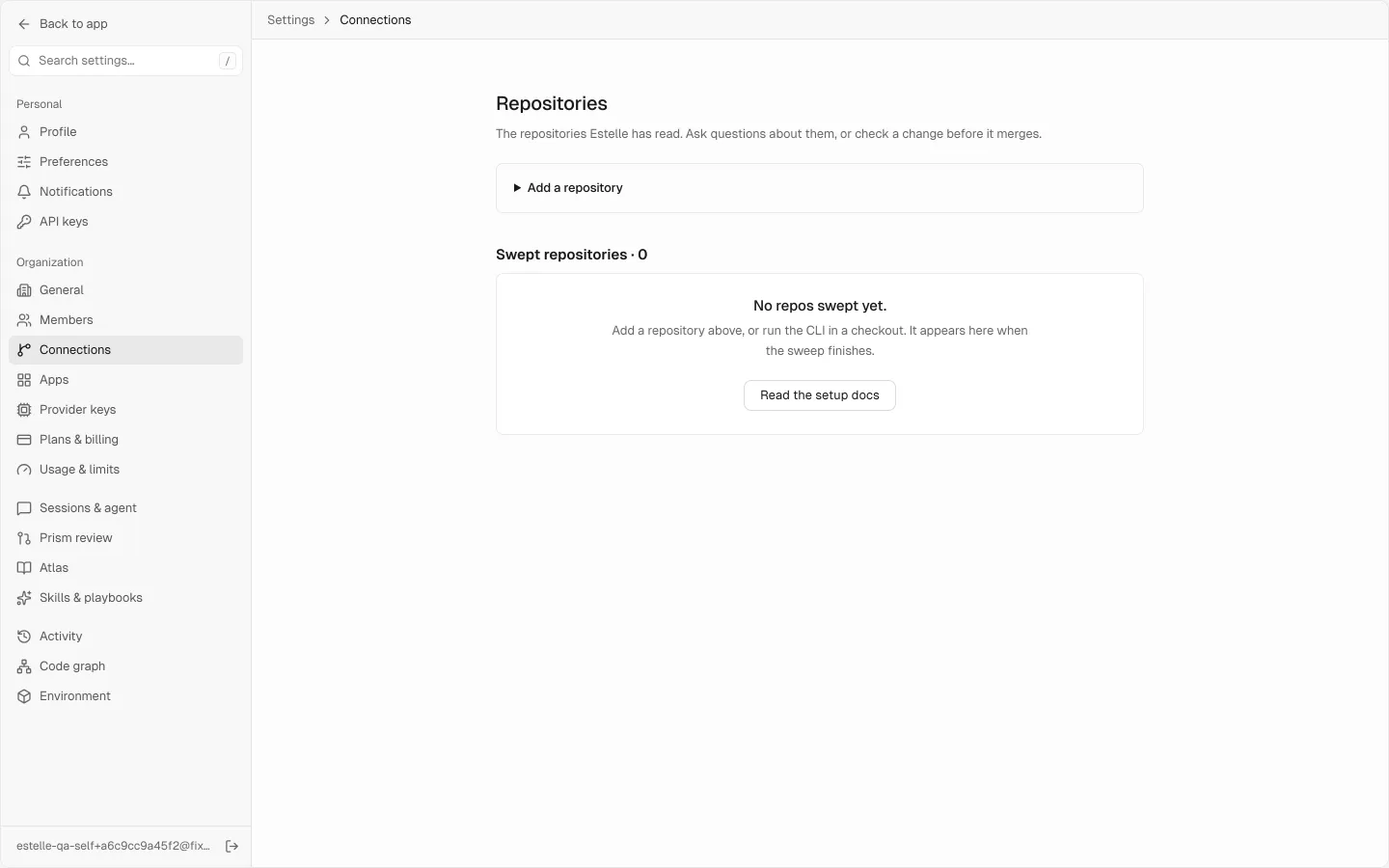
#Connect and index a repository
Link your GitHub account
Open Settings → Connections and choose Link GitHub. Finish the GitHub authorization. Linking installs nothing; it lets Estelle show the App installations your account can reach.
Connect an App installation
Install the Estelle GitHub App on the personal account or organisation that owns your repositories. Return to Settings → Connections and choose Connect beside that installation. A newly connected installation confirms that nothing has been read yet.
For repositories in another account or organisation, choose Install on another account and connect that installation too. Use Manage on GitHub to change the repositories an installation grants.
Sweep selected repositories
Under Choose what Estelle reads, select the repositories you want and choose Sweep. Only selected repositories are indexed. A repository is marked In memory after it has been read, or Not read yet before then.
You can start the account-linking flow from a terminal instead:
estelle github linkAfter changing App access on GitHub, choose Recheck in Settings → Connections to refresh the account, installations, and repository list.
#Choose what runs on pull requests
The integrations are independent. Turn on only the ones your team needs.
| GitHub result | Purpose | How to enable it |
|---|---|---|
| Estelle Prism check and review comments | Review the pull request and place findings on the relevant lines. | Connect the App. Settings → Prism review → Review new pull requests is on by default. |
estelle/merge-gate status | Publish an advisory status. It stays green; read its description for findings and UNVERIFIED coverage. | Runs on pull-request pushes for a connected repository. See Prism for the distinction between advisory review and test gates. |
| One check per CI job | Run your build and test commands in a Silo. | Add .estelle/ci.yml, or enable a supported workflow through Estelle CI settings. |
| Estelle QA check | Test the pull request's running preview with Twice. | Add .estelle/qa.json to the repository. |
Comment /estelle review on a pull request to request another Prism review. By default, only people with repository access can make that request.
#Pull requests a Silo session opens
When a Silo session opens a pull request, Estelle runs its checks in order on the exact commit: CI, Prism, Twice, then Security. Each step waits for the one before it, and a new push starts again on the new commit. Open the session to watch where it is and to open each result.
Choose what runs in Settings → Sessions → After a session opens a pull request, per kind of session. Admins and the owner can change it. By default CI and Prism are on, Twice runs when the base branch has .estelle/qa.json, and Security is off, because each push then pays for a full scan. If CI fails or cannot run, Twice and Security do not run on that commit. These checks never merge a pull request; a person does.
To start CI without writing the first file yourself, choose Turn on Estelle CI in Settings → Connections or open CI. Estelle opens a pull request containing a starter .estelle/ci.yml; it does not push that file to your default branch.
For other CI configurations, see Estelle CI: a repository can use a supported GitHub Actions workflow when explicitly enabled, or supported commands detected from its project files when that setting is on. .estelle/ci.yml takes precedence when present.
#Review pull requests Estelle opens
Work started in Agent mode, an Automation, or an On-call fix can be delivered as a pull request on the connected repository. By default, open the pull request, inspect its changes and checks, and merge it yourself when it is ready. A pull request can remain a draft when its checks do not pass.
Prism only comments; it does not approve, request changes, or merge. Connecting or indexing a repository does not change your merge or branch-protection settings.
#Limits
- Estelle currently indexes GitHub repositories through this integration.
- Pull requests from forks do not run Estelle CI or Twice checks.
- A connected installation is not the same as an indexed repository: you still need to select and sweep the repository.
- Changing which repositories the App can see requires changing the installation on GitHub, then rechecking the connection in Estelle.